cpanel
2026-11-28
How to Install Free SSL on Namecheap cPanel (2027 Step-by-Step)
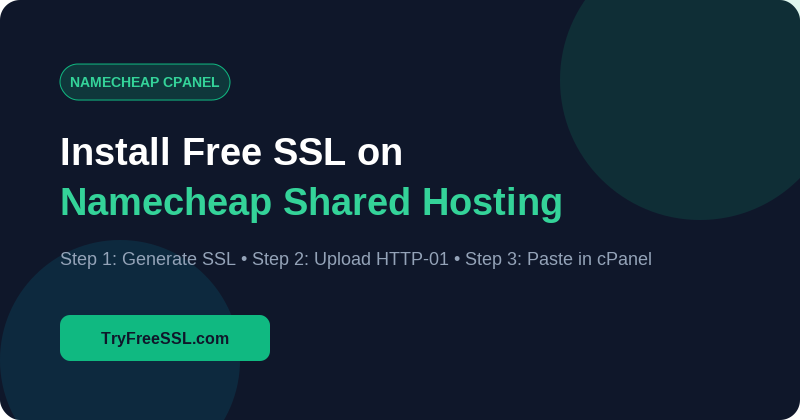
Quick Answer: To install a free SSL on Namecheap cPanel, generate a 90-day Let's Encrypt certificate at TryFreeSSL.com, verify ownership via HTTP-01 or DNS-01, then open Namecheap cPanel → SSL/TLS → Manage SSL Sites and paste your CRT, Private Key, and CA Bundle.
Namecheap SSL Options Compared
| SSL Option | Price | Validity | Best For |
|---|---|---|---|
| TryFreeSSL (Let's Encrypt) | $0 Free Forever | 90 Days (Unlimited Renewals) | All Namecheap Stellar & cPanel plans |
| Namecheap AutoSSL | Free (1st year on select plans) | 90 Days | Managed Stellar Plus / Business |
| Namecheap PositiveSSL | $5.99–$12/yr | 1 Year | Users wanting 1-year commercial warranty |
Step-by-Step: Install Free SSL on Namecheap
- Generate Your Free Certificate: Enter your domain (e.g.
yourdomain.com) on TryFreeSSL.com and choose HTTP-01 file upload or DNS-01 TXT verification. - Verify Domain Ownership: Upload the verification file to
public_html/.well-known/acme-challenge/via cPanel File Manager, or add the TXT record in Namecheap Advanced DNS. - Download Your SSL Bundle: Download the ZIP containing
certificate.crt,private.key, andca_bundle.crt. - Install in cPanel: Open cPanel → Security → SSL/TLS → Manage SSL Sites, select your domain, paste the three fields, and click Install Certificate.
- Force HTTPS Redirect: In cPanel → Domains, toggle Force HTTPS Redirect to ON.
Frequently Asked Questions
Does Namecheap allow third-party free SSL like Let's Encrypt? Yes. All Namecheap shared cPanel plans support manual CRT/Key/CA Bundle installation at zero cost.
Do I need a dedicated IP on Namecheap for SSL? No. Modern SNI (Server Name Indication) lets unlimited domains share one IP with separate SSL certificates.
How do I verify my Namecheap SSL chain? Run your domain through our free SSL & Security Headers Checker.
🔒 Test Your Website SSL Certificate Now
Run Free SSL Check →
✅ Post-Installation Verification & SEO Checklist
After applying the steps above, run through this 5-point checklist to prevent browser warnings and protect your Google SEO rankings:
- Verify full CA chain trust and TLS 1.3 support using our Live SSL Checker.
- Scan for Mixed Content HTTP links and check HSTS/CSP headers on Security Headers Checker.
- Enforce a permanent 301 HTTP-to-HTTPS redirect with our HTTPS Redirect Generator.
- Confirm both root and
wwwversions resolve cleanly to one canonical HTTPS URL. - Verify your HTTPS property and
sitemap.xmlinside Google Search Console and Bing Webmaster Tools.